Table Of Contents
Getting Started
- Activation Time: It takes 24–48 hours after enrolment for your account to work.
- Login Portal: login.microsoftonline.com
Your credentials
- Username: StudentIDNumber@tafe.wa.edu.au (e.g., 20001234@tafe.wa.edu.au)
- Default Password: Your default password (unless you have already changed it).
- Default Password Format: tafewa + your date of birth (DDMMYYYY) (e.g., tafewa14092006)
- Returning Students: Use your existing password. Reset it here if forgotten.
Security & Email Setup
- Sign In: Enter your email and click Next three times.
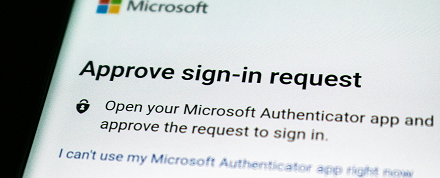
- Authenticator: You must set up the Microsoft Authenticator app on your smartphone.
- Tip: Download the app before heading to campus.
- No Smartphone? Visit a campus library for help.
3. Mobile Email: Use the Outlook app to access your student email on your phone.
Important Account Information
- Account Deletion: Your account is permanently deleted 85 days after you finish or withdraw.
- Backup Your Data: Move your files to a personal drive before this deadline; they cannot be recovered later.
- Blackboard: Access may be cut off immediately upon withdrawal.
Need Help?
Visit our Password Help Page for everything you need to know about TAFE passwords
If you need help with this process, please visit a campus library. If possible, download the Microsoft Authenticator prior to your visit.
If you do not have a smartphone click this link for other ways to contact us, Contact a campus library
Click this link for instructions in Languages Other Than English
Note: To access your TAFE email on your phone, Microsoft requires the installation of the Outlook App on your device.